Product tour

See the workspace before you sign up.

Each figure is the Relay interface with fictional Example Heating Co. records. It is not a customer story.

30 days free, no card required; then $149/month.

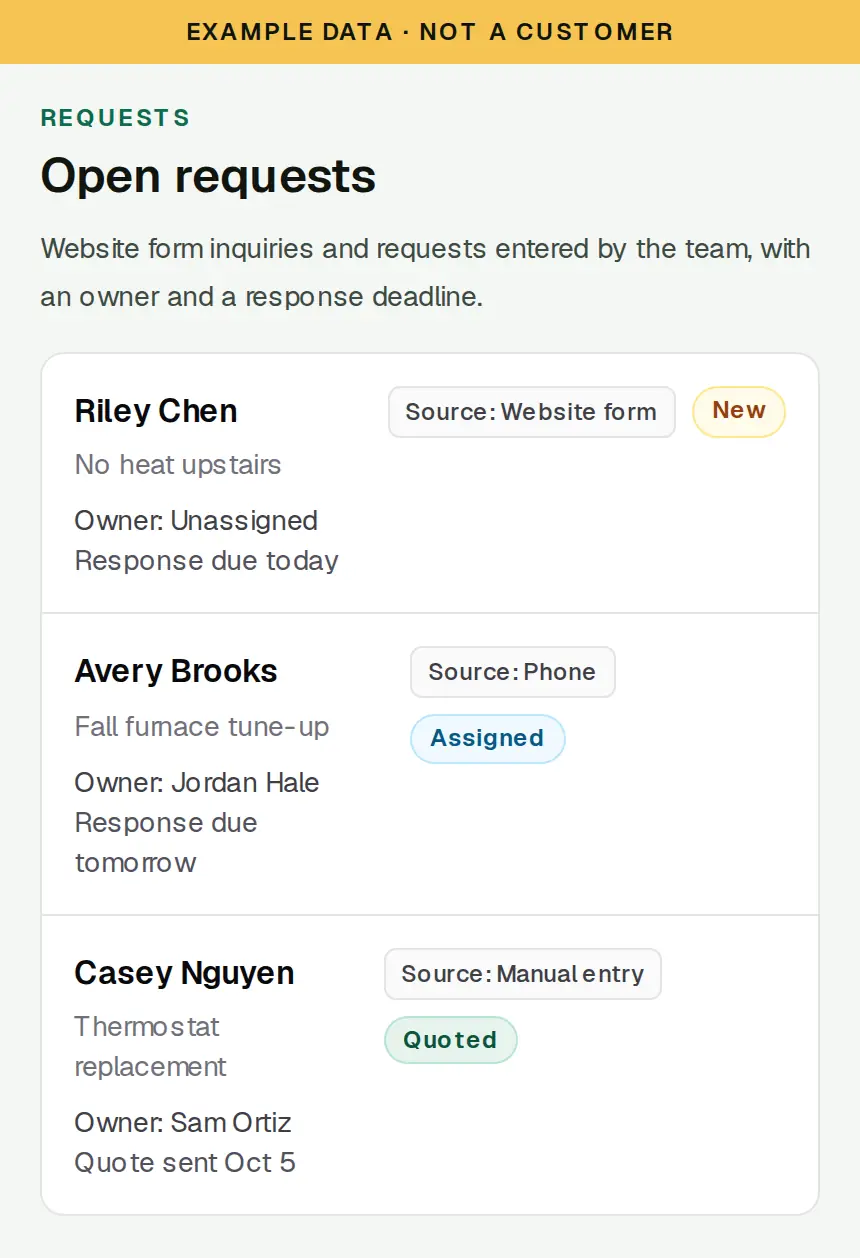
Example request list in SixStack Relay with owners, sources, and response deadlines. Example data, not a customer.
Example Heating Co. workspace. Fictional data, not a customer.

01

Take the request in once

Website form inquiries and requests your team types in share one list, with an owner and a response deadline.

Each request keeps its source, status, notes, and who owns the next follow-up. Statuses run from New and Assigned through Quoted, Scheduled, and Completed. Relay stores the customer's phone number for your team. It does not text the customer, and it does not book the visit on its own.
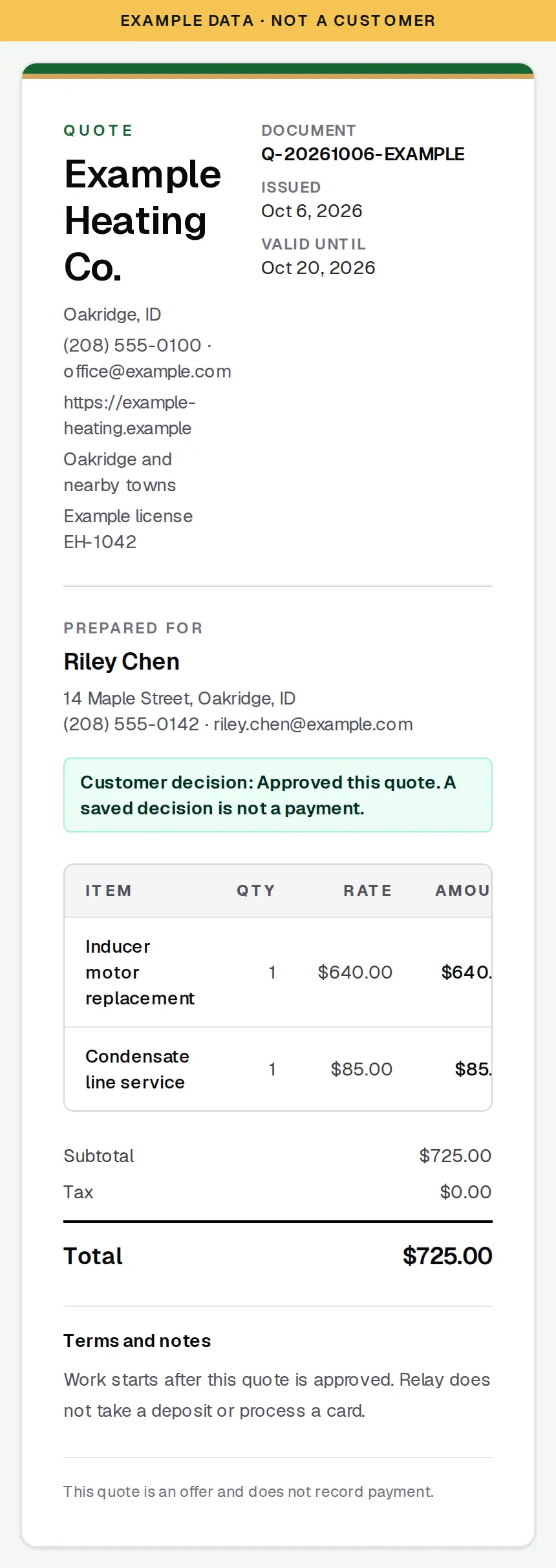
Example quote in SixStack Relay for a furnace repair, with line items and a saved approval. The approval is not a payment. Example data, not a customer.
Example Heating Co. workspace. Fictional data, not a customer.

02

Write the quote and record the decision

Build the lines, save the quote, and record whether the customer approved or declined it.

The quote keeps the scope, the price your team entered, and the decision. A later revision leaves the earlier quote in place. Approval is a saved decision. It is not a signature page, a deposit, or a card payment. Relay does not calculate tax.

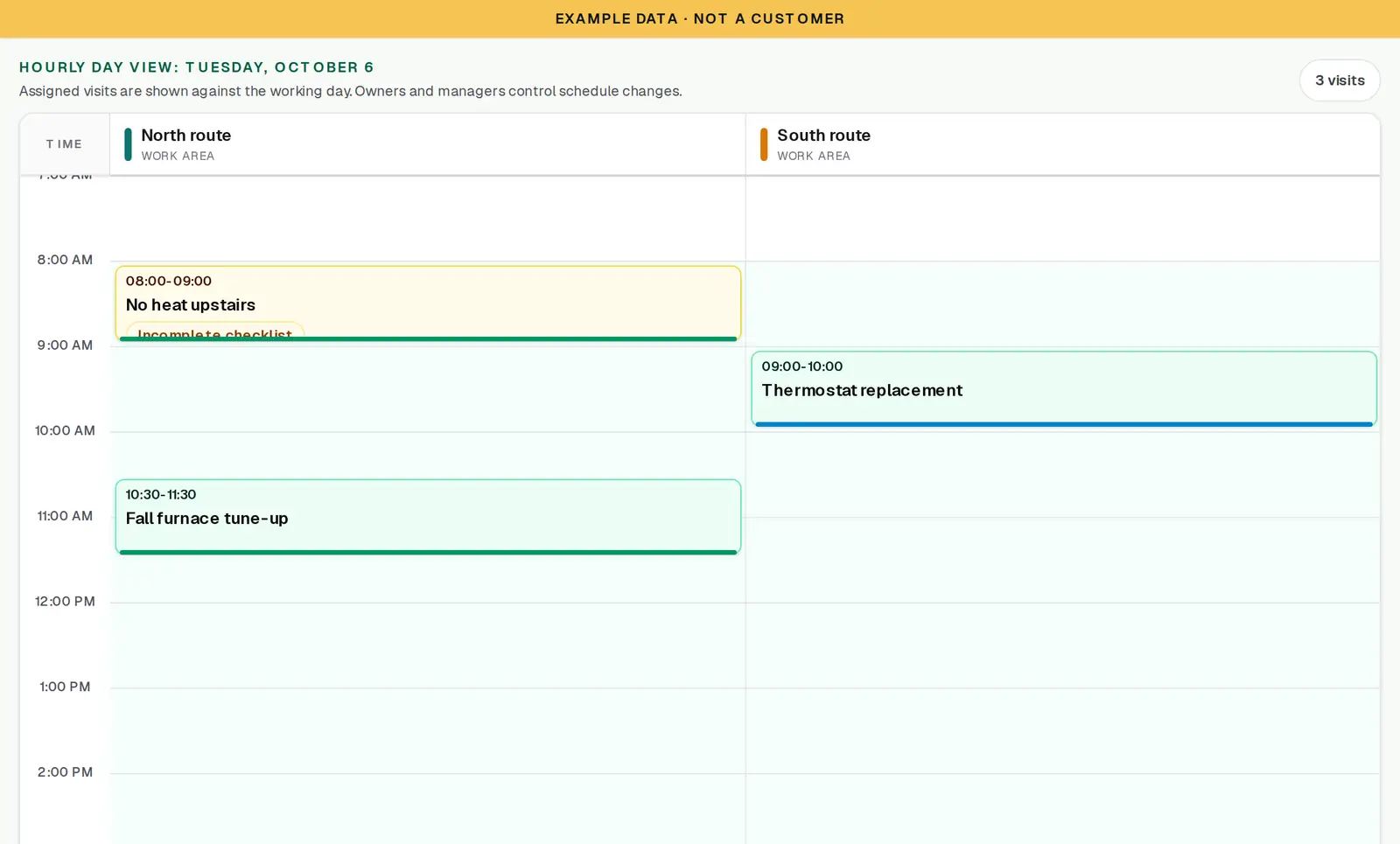
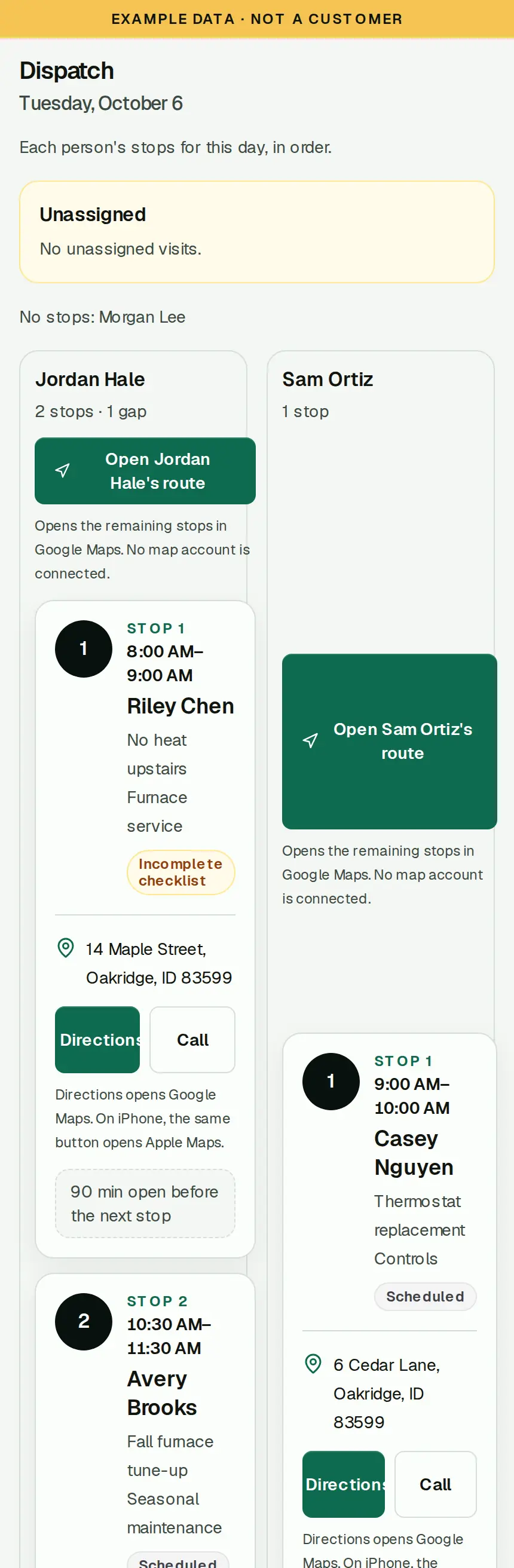
Example Dispatch view in SixStack Relay. Stops for Jordan Hale and Sam Ortiz are listed in order, with directions. Example data, not a customer.
Example Heating Co. workspace. Fictional data, not a customer.

03

Plan the day, then read the route

Line visits up by time and work area, then open Dispatch to see each person's stops in order.

My day and Dispatch show the stop, the address, a call button, and directions. Relay does not choose the driving order or optimize a route. After its own setup, Relay can send scheduled visits one way to a private Google Calendar. Edits in Google do not change the visit in Relay.

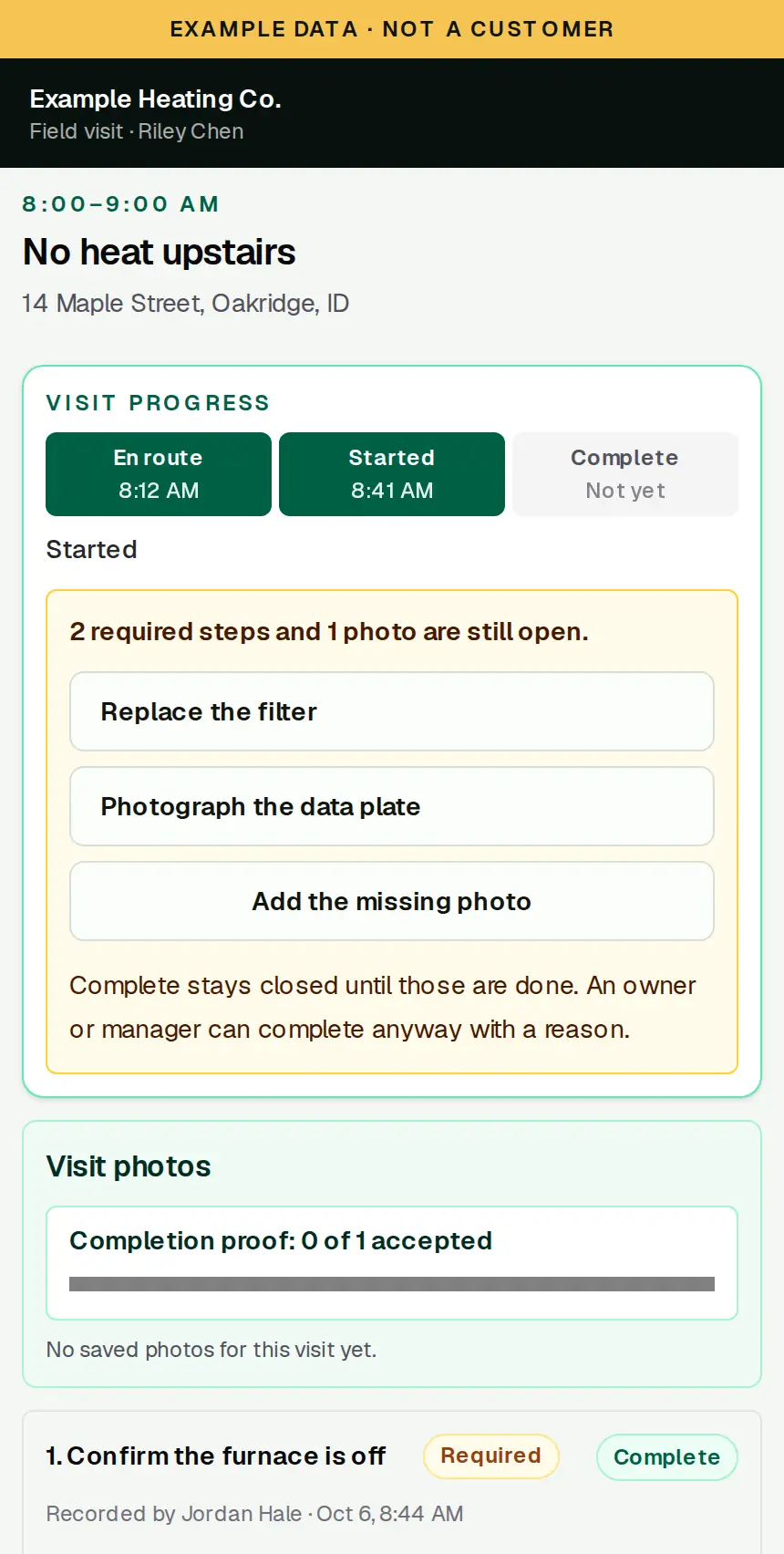
Example field visit in SixStack Relay. Required checklist steps and a photo keep Complete closed until they are saved. Example data, not a customer.
Example Heating Co. workspace. Fictional data, not a customer.

04

Finish the visit only when the checklist is done

The person on the job marks En route, then Started. Required steps and photos block Complete.

The checklist comes from the service, or from the steps saved on that visit. Complete stays closed until the required items and photos are saved. An owner or manager can complete anyway, and that reason is kept on the visit. Photos stay with the job. Relay does not send an on-my-way message.

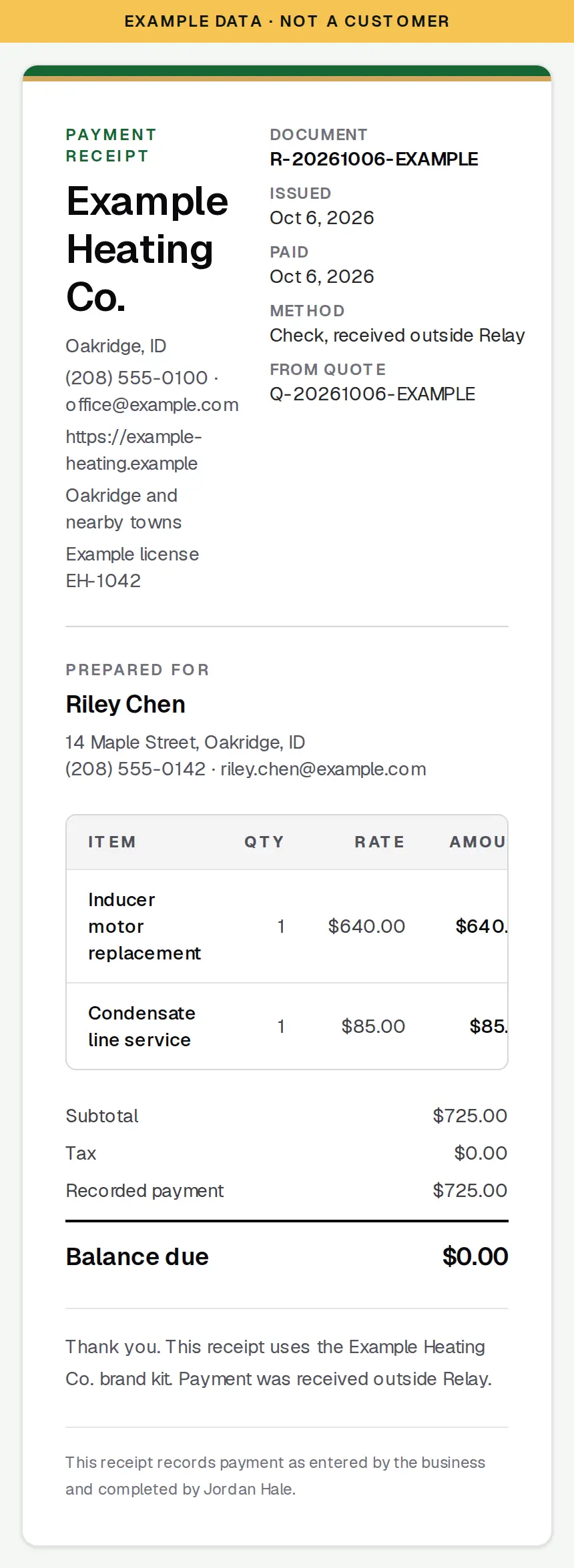
Example payment receipt in SixStack Relay using a brand kit. It records a check received outside Relay. Relay did not take the payment. Example data, not a customer.
Example Heating Co. workspace. Fictional data, not a customer.

05

Write the receipt in your brand

A receipt records money the business already received outside Relay, on a document that uses your brand kit.

The brand kit sets the accent, the logo, and the lines that print on quotes and receipts. You record the method, the date, and the amount received. Relay does not send invoices or take payments, and it does not move the money.

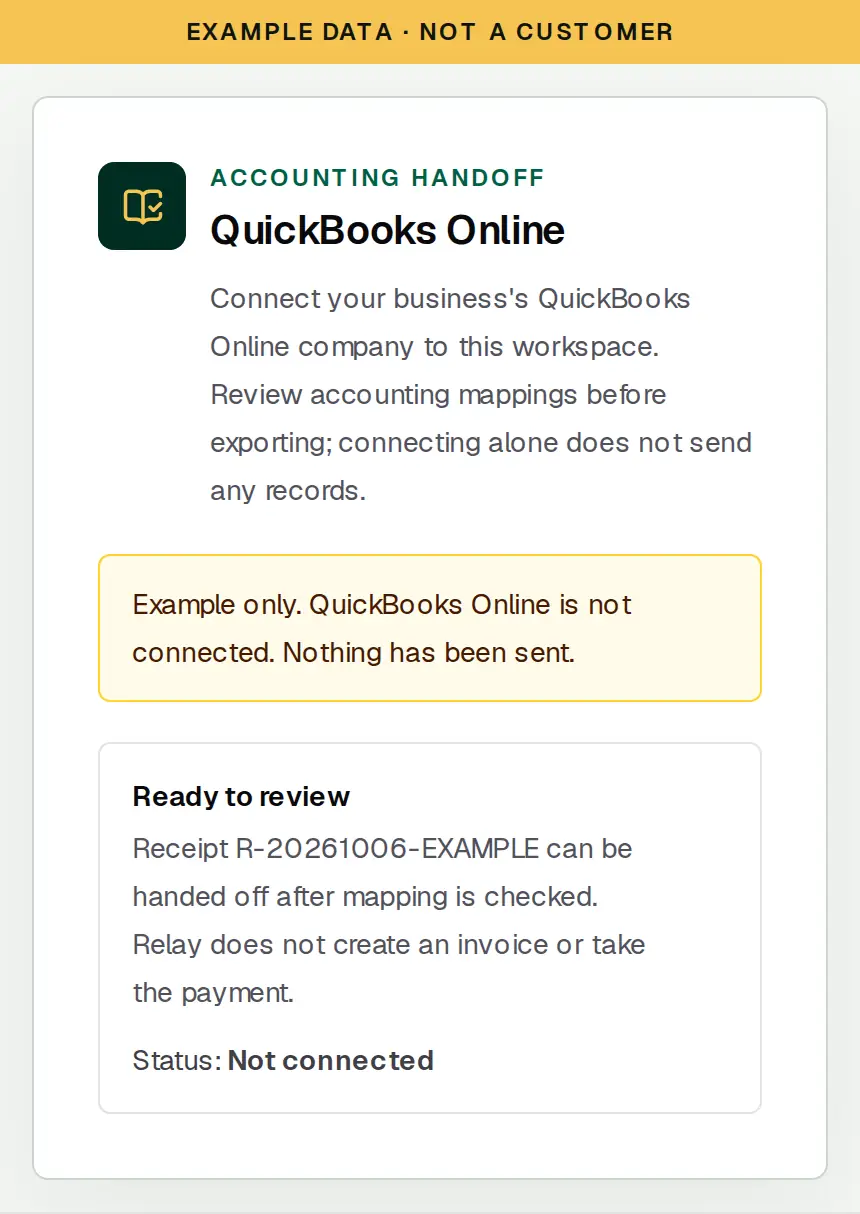
Example QuickBooks Online handoff in SixStack Relay. The connection is not connected, and connecting alone does not send records. Example data, not a customer.
Example Heating Co. workspace. Fictional data, not a customer.

06

Hand the receipt to QuickBooks Online

After you connect and review the mapping, receipts can be handed off to QuickBooks Online.

Connecting alone does not send any records. You review what is ready, then export. Relay does not create invoices or collect the payment. QuickBooks Online needs its own setup, and the connection status stays in Settings.

Also in the workspace

Reports, customer merge, a brand kit on the receipt, and a CSV import that maps columns before saving. The import is in the customer list after you sign in.

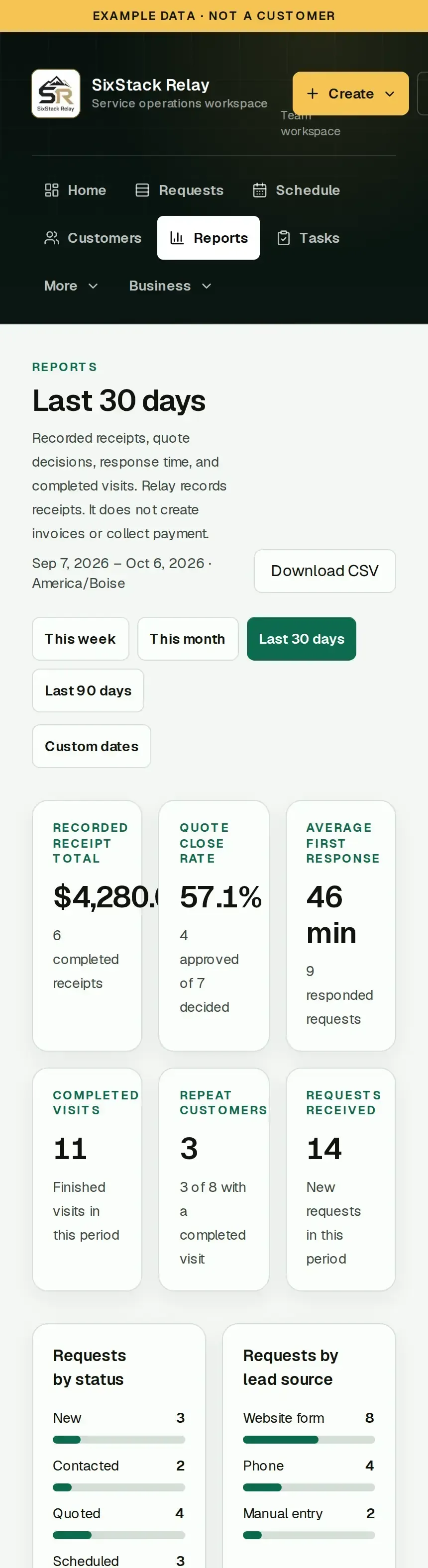
Example Reports page in SixStack Relay showing receipt totals, quote close rate, response time, completed visits, repeat customers, and requests. Example data, not a customer.
Example Heating Co. workspace. Fictional data, not a customer.

Reports from saved records

The Reports tab counts recorded receipts, quote decisions, first-response time, completed visits, and repeat customers for a period you choose. You can download the CSV. The numbers come from this business's saved records. They are not a forecast, and a receipt total is not an invoice total.

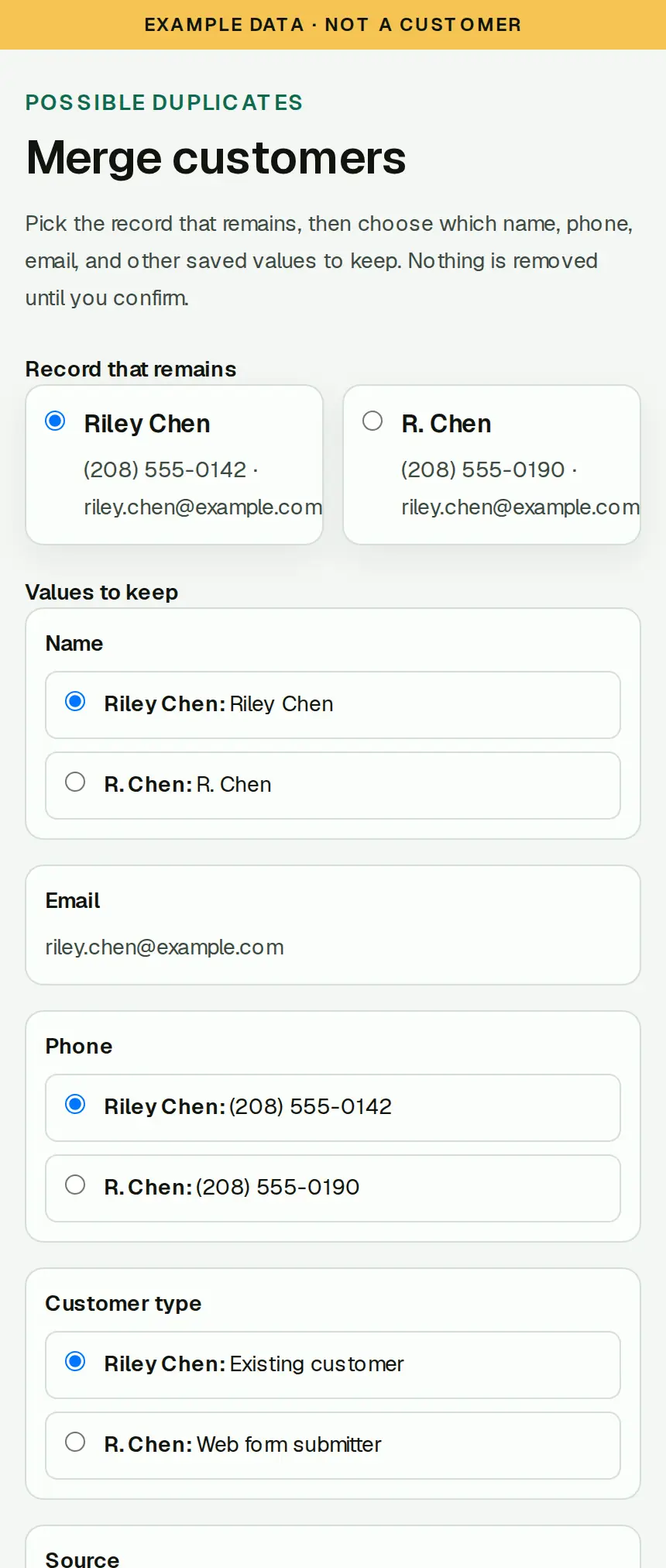
Example duplicate customer merge in SixStack Relay. The office chooses which name, phone, and email to keep before anything is combined. Example data, not a customer.
Example Heating Co. workspace. Fictional data, not a customer.

Merge a duplicate only after you choose

When two customer records look like the same person, Relay shows them side by side. You pick the record that remains and which name, phone, email, and addresses to keep. Nothing is combined until you confirm. History moves onto the surviving record.

What stays outside Relay

  • No invoices and no card payments. Receipts record money already received outside Relay.
  • No iPhone or Android app. The workspace runs in the browser, including on a phone.
  • No automatic driving-route optimization, and no customer text messages.
  • No tax calculation. Relay does not refund a payment, because it never collected one.

Questions before you start

How does the 30-day trial work?

The trial includes the full workspace for 30 days. No card is required, and the trial does not charge you or turn into a paid plan on its own. You subscribe only if you choose to.

What does $149/month include?

SixStack Relay Starter is one complete package at $149/month. There is no required setup fee. The price is for the workspace. Relay does not list a separate per-person price.

Can I export my data?

Owners can export supported records, including a CSV of the report you are viewing and other exports from Settings. Imports can map customer CSV columns before anything is saved.

Does it work on a phone?

Yes. Relay is a website with layouts for the office and for field work: the day's stops, the checklist, notes, and photos. You open it in the phone's browser. There is nothing to install.

Is there an iPhone or Android app?

No. SixStack Relay does not have a native app. There is no App Store or Google Play install.

Does Relay send invoices or take payments?

No. You prepare receipts and record payments the business already received outside Relay. Relay does not charge customers, move money, calculate tax, or issue refunds.

What does the QuickBooks handoff do?

After QuickBooks Online is connected and the mapping is reviewed, you can hand receipts off. Connecting alone does not send records. Relay does not create invoices or take the payment.

Support hours and how to reach the team are on the support page. Refunds are covered in the refund policy.

$149/month after a 30-day free trial.

30 days free, no card required; then $149/month.